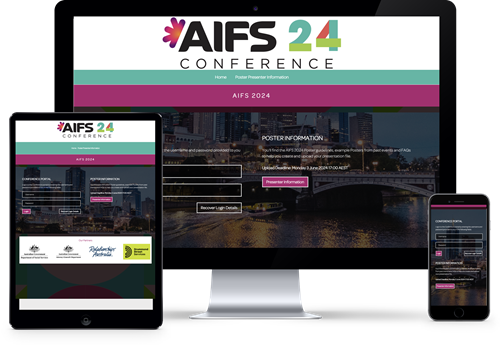
Upload Deadline: Monday 3 June 2024 17:00 AEST
Posters at AIFS Conference will be in Digital format. Posters will be displayed via digital screens onsite at the Melbourne Convention & Exhibition Centre.
Specifications
Specifications set by the AIFS2024 committee.
Browser requirements
Google Chrome recommended. The website will work on all devices and browsers with an internet connection.
File size
150MB maximum , including videos
Screen ratio
portrait
File formats
PowerPoint .pptx ONLY
Templates
Optional template is available - but use of your own branding and template is encouraged.
AV Enabled
Audio and Video in file is allowed
ePOSTERS guidelines
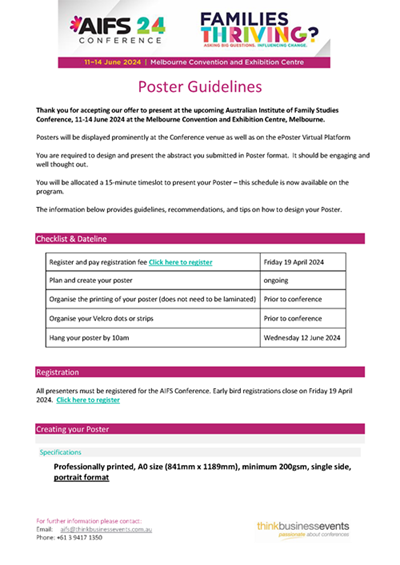
Thank you for accepting to submit your ePoster for the AIFS Conference through the ePoster Website. The information below provides guidelines, recommendations and tips on how to design and structure your Posters. Please also read the specifications and FAQS before preparing your Posters.
POSTERS guidelines
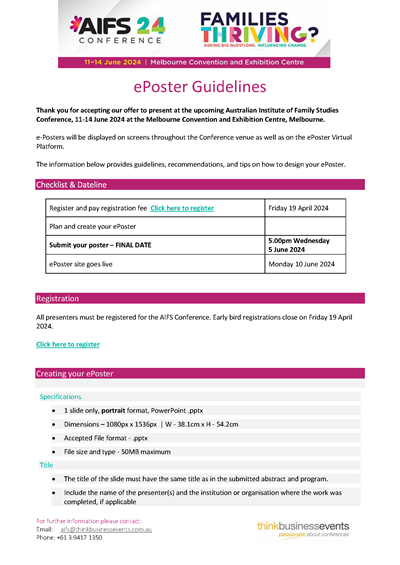
Thank you for accepting our offer to present at the upcoming Australian Institute of Family Studies Conference, 11-14 June 2024 at the Melbourne Convention and Exhibition Centre, Melbourne.
ePoster Templates
Use of the template provided below is Optional. You are encouraged to use your own company templates & branding.
Click the image below to download the .pptx

ePoster examples
You can see examples on the AIFS 2022 ePosters Website AUSTRALIAN INSTITUTE OF FAMILY STUDIES 2022 CONFERENCE

FAQs
-
I have forgotten my logins! What do I do?
-
Click on the "Recover Login Details" underneath the login on the presenter home page. Input the email you registered for the Congress with. An email will be resent to this address. Check your spam and junk inboxes incase the email has been marked as spam
-
-
How do I know if my ePoster has uploaded successfully?
-
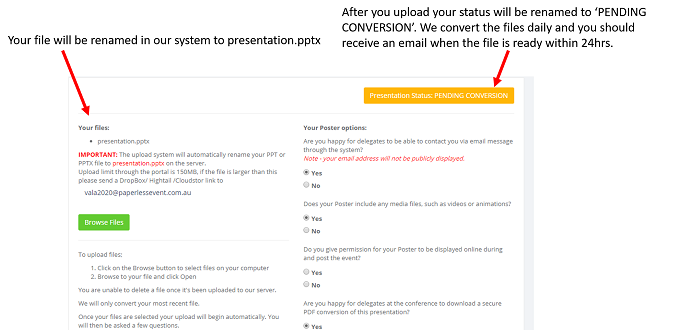
Our system automatically renames your file as presentation.pptx when you upload. If, after refreshing the page, you can see 'presentation.pptx' under Your Files area, you have uploaded successfully. If you don't see your file, then there has been an issue with the upload. This could be due to file size or internet connection. Try refreshing your browser and uploading again. If it's still not visible you can contact the help desk and our support staff can help with the upload. If you need to upload another version, follow the steps through again, your upload will be renamed to presention.pptx and your old files will be renamed to presention_1.pptx and so forth.
-
-
I have uploaded my ePoster… What do I do now?
-
Make sure you have answered the post-upload questions as these pertain to how your info is displayed on the ePoster website. For example: Do you want to allow delegates to download a PDF or contact you via email or social media? If you have allowed such permissions, make sure your details are up-to-date. You can see what details we have in the system after you have logged in to your portal and navigated to ‘Update My Details’.
-
-
I want to upload my own PDF for download or I want to upload multiple files
-
Your portal allows for multiple uploads. So if you would like submit your own PDF version of your ePoster or you have used media in your poster and you need to upload the files in addition to your poster, please do so through the portal at the same time as your ePoster upload.
-
-
I uploaded my ePoster… Where's my preview!
-
We convert all the posters to HTML so they can be viewed on the website. Please allow up to 72hrs for your ePoster to be made available for preview. You will receive an email from us letting you know that it's ready.
-
-
Help! Something looks a little different!
-
Sometimes formatting shifts occur and we can definitely fix them up. Contact the help desk to let us know the issue and what slide is looking different, and we will reconvert the file for you!
-
Help Desk
We have an email system in place to help with any enquiries relating to creating your ePoster. Click the link below to email your enquiry. AIFS@paperlessevents.com.au
Our Major Sponsors






Judges Comments